





How A PowerPoint Translator Keeps Kickoff Decks Aligned
Kickoff decks fail in public. The room sees slide four while the presenter is still looking at speaker notes that no longer match the labels on the timeline. Chat translation of those labels is fast, and it is also how a tidy 18-slide file becomes a set of drifting text boxes. A PowerPoint translator is worth considering only when the downloaded deck still opens on the same slide grid.
Internal trainers feel this first. The on-slide line is the thing the room reads. The notes are the thing the presenter needs. If those two drift, the session turns into an apology. The job is to change the language and leave the boxes where they were, not to produce a fluent handout that no longer matches the screen.
Speaker Notes And Slide Labels Drift Apart
A slide is a layout, not a paragraph. Titles sit in placeholders. Dates sit inside shapes. Speaker notes sit off-canvas. Copy the visible words into a chat box, and those three layers stop sharing a coordinate system. Designers usually notice it only when the deck is already on the projector.
The tell is local. A phase label wraps inside a chevron. A footer date jumps a centimetre. The notes still mention “Phase 2” while the shape now says something longer in the target language and covers the icon. The deck has not become “less professional.” It has become unreadable at the distance of a meeting room.
Trainers lose minutes from that moment. Someone is already walking to the screen. There is no time to rebuild placeholders. Either the file still matches the grid, or the session starts with a discarded deck and a laptop showing the source language.
Lock The Grid Before Anyone Changes Language
Before a file leaves the laptop, freeze the things that must still line up after translation. Pick one slide as the witness — a timeline, a three-column comparison, or a quote box with a name under it. Write down the slide number. That number is the pass rule. If that slide’s boxes have moved, the rest of the deck is not ready either.
Do this on the source file, not on a screenshot. Screenshots hide speaker notes and hide the placeholder structure. The witness has to be the real PPTX.
Check Speaker Notes Against The On Slide Line
Open notes view on the witness slide. The first sentence of the notes should still point at the same on-slide heading after translation. If the heading has grown by a line and the notes still describe the old short title, the presenter will read a script the room cannot see.
That mismatch is enough to send the file back to the person who “just needed it in French.” Do not fix it by deleting the notes. The notes are the rehearsal. The heading is the public line. Both have to survive.
Watch Timeline Labels Inside Crowded Shapes
Chevrons, circles, and process arrows are where translated text overflows. A four-word English phase becomes a longer French phrase and the shape clips it. Look at the witness slide at actual size, not in a thumbnail strip. If a label is cut, the deck would never clear editorial.
Do not “fix” overflow by shrinking every font on the slide. That hides the problem and makes the room squint. Keep the source, and only keep an output whose labels still sit fully inside their shapes.
Prepare The Deck Then Download The Same File
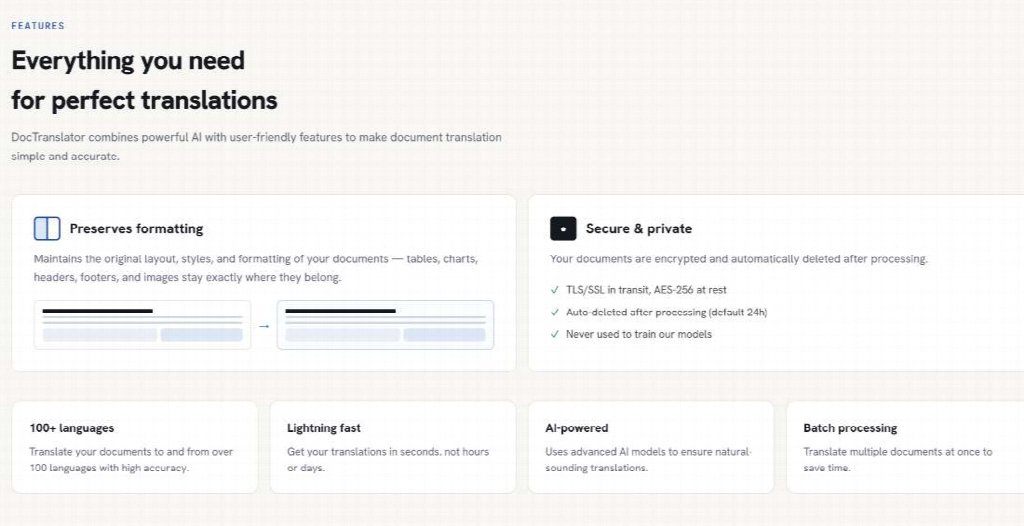
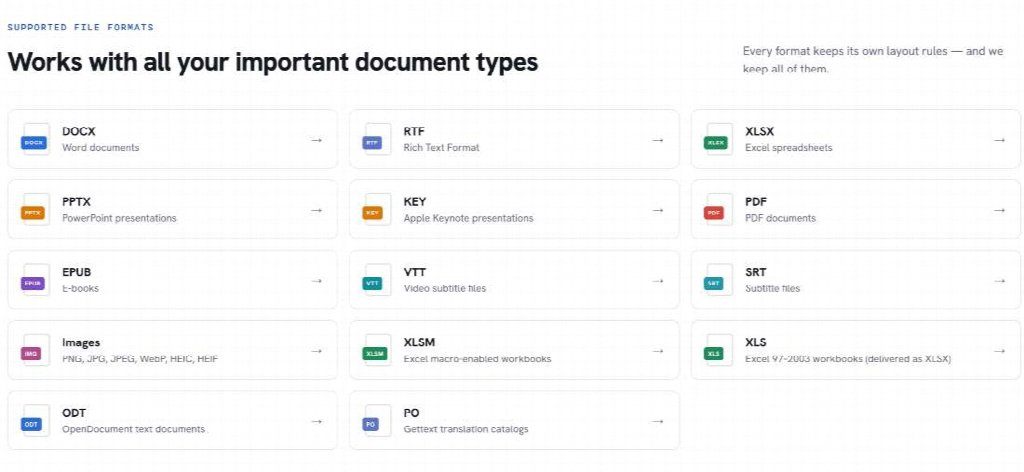
The published path is short and stays in the browser. There is no install. DocTranslator takes a PPT or PPTX upload, asks for a language pair, and returns a translated file of the same type. Fonts, images, and slide structure are the thing being protected, not an extra export setting.
That is the whole move. If someone is adding “then paste into a new template,” they have left the path and restarted the layout job.
Upload The Deck And Set The Language Pair
Drag the file in, or browse to it. Set From and To. Auto Detect can cover the source if the deck is mixed, but a single-language kickoff should have the source set on purpose. No account is required to start. Do not add a step the page does not show.
Download Then Open The Same Slide Number
Download the result and go straight to the witness slide. If you marked slide four before the run, open slide four after it. Compare the grid, not the vibe. Teams translate PowerPoint slides so the room and the notes still share one deck, not so someone can paste fluent bullets into a blank theme.
If slide four’s chevrons have moved, stop. Do not page through the rest hoping later slides are cleaner. The witness already answered.
Catch The Failures That Show Up On Slide Four
Live-ops style review is unkind, and that is useful. Stand at the back of the room distance. If a name, a date, or a phase label cannot be read, the file is not done. Thumbnails lie. Full-screen is the test.
- Witness slide number written down before upload
- Notes still refer to the same on-slide heading
- Shape labels fully visible, not clipped
- Images and logos still in the same corners
- File type still PPTX, not a PDF dump “to be safe”
Work the list in order. The first miss is enough to reject the output. A deck that passes the list can go to the session. A deck that fails it stays off the shared drive.
Errors That Recreate The Layout Job
The common mistakes are all ways of leaving the file. Translating only the outline pane. Exporting to PDF so “nothing can move,” then discovering the presenter cannot edit a date. Building a second deck in the target language by hand “just for this session.” Each one recreates the two-file problem the translator was meant to remove. That path burns an hour of rework and still leaves a file that gets sent back to the trainer.
Confidential decks follow the same handling the privacy policy already states: documents are encrypted during transmission and storage, and automatically deleted once translation completes unless the user saves them to their account. That is not a reason to skip the witness-slide check. Privacy and layout are different questions.
Use This Path When The Deck Must Stay A Deck
Use DocTranslator when a trainer has to ship one PPTX in a second language and still present from notes. Skip it when the session needs live subtitles, or when the file is a video inside a slide that nobody should be sending through a document translator in the first place.
DocTranslator is a fit for bilingual kickoffs, partner updates, and community briefings where the room is looking at the same grid the presenter is holding. It is the wrong tool for anyone who only needs a paragraph of fluent copy and does not care where the boxes sit.
Keep the check small. One witness slide. If that slide still matches, the rest of the deck can follow. If it does not, keep the source and do not present the output. The room should never see a rebuilt theme.